Understanding the Central Admissions Processing System (CAPS)
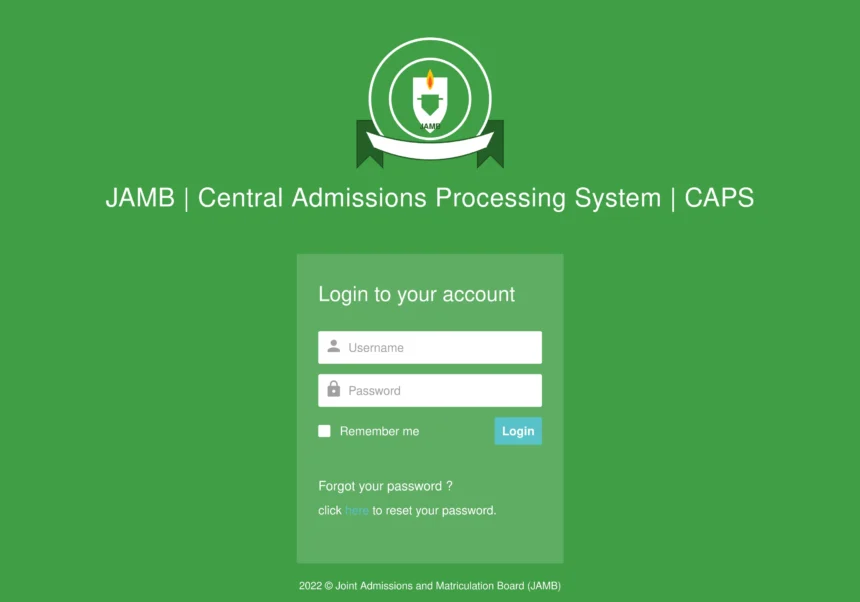
The Joint Admissions and Matriculation Board established the Central Admissions Processing System to streamline tertiary institution admissions across Nigeria. This system serves as the official platform where institutions upload candidate lists and process admission offers transparently. Candidates use the portal to verify their admission status, accept or reject offered courses, and secure official admission letters.
Key Learning Outcomes
- Candidates must process all pending admission offers from 2021 onward before the final September 30, 2026 deadline.
- Responses can be completed via the official JAMB e-Facility portal, SMS short codes (55019 or 66019), or accredited CBT centres.
- Failing to accept or reject an offer before the expiration date permanently changes the status to ‘Not Admitted’.
Rather than functioning as an independent platform, CAPS operates within the central JAMB e-Facility portal accessible at efacility.jamb.gov.ng. Applicants must log in with their registered credentials to monitor changes in their application status. Understanding how this portal operates ensures that candidates do not lose valuable educational opportunities due to technical misunderstandings.
Methods for Responding to Admission Offers
Candidates can respond to an admission offer through several official channels depending on internet access and convenience. The most common method involves accessing the e-Facility web portal using a computer or mobile browser set to desktop view. Within the portal dashboard, applicants navigate to the CAPS section where their current admission offer is displayed with options to confirm or decline.
For individuals facing internet connectivity challenges, JAMB provides an alternative SMS short code system. Candidates can send specific command texts using 55019 or 66019 from the phone number tied to their profile. Just as mobile network users rely on MTN, Airtel, Glo & 9mobile USSD Codes for quick service delivery, students can utilize these official SMS channels to submit their decision instantly without visiting a cybercafe.
A third official pathway is visiting an accredited Computer-Based Test center or a regional JAMB office. At these centers, trained staff assist candidates through biometric verification to finalize their response on the system. This physical verification method guarantees that unauthorized third parties cannot alter an applicant’s decision without consent.
Critical Guidelines and Expiration Rules
JAMB has instituted a strict policy regarding pending admission offers spanning from the 2021 academic session to current years. Candidates have been given a final deadline of September 30, 2026, to explicitly accept or reject any outstanding admission offers. This deadline is absolute, and administrative authorities have indicated that no further extensions will be granted under any circumstance.
If a candidate fails to take action before the specified deadline, the system automatically modifies the status to ‘Not Admitted’ permanently. This automated transition forfeits the offer, making the place available for reallocation to other candidates. Furthermore, any selection made on the portal—whether acceptance or rejection—is immediate and entirely irreversible once submitted.
For candidates who possess older unaccepted offers from prior years but have secured a 2026 admission offer, specific rules apply. Rejecting an outdated offer from a previous academic cycle will not jeopardize or invalidate a newly granted 2026 admission offer. Applicants paying acceptance or processing fees through financial platforms can refer to the Ultimate Bank Code Finder: All Nigerian Bank USSD Codes (2026) to facilitate mobile fee transactions through their respective banking institutions.
Resolving Portal Access Issues and Technical Errors
Technical difficulties sometimes prevent candidates from viewing their admission status or displaying the response buttons correctly. A common issue occurs when mobile browsers default to mobile rendering, which hides important interactive elements of the CAPS interface. Switching the browser settings to ‘Desktop Site’ mode usually resolves display errors and makes the response options visible.
In cases where login credentials fail or profile access is locked, candidates must refrain from creating duplicate accounts or using unauthorized third-party websites. Entering personal details into unverified platforms creates security risks and can lead to profile compromise. The correct resolution strategy requires resetting access credentials through the official password recovery tool or visiting an accredited center for assistance.
When system status messages remain unchanged despite institution announcements, candidates must monitor their portal consistently. Status updates pass through formal institutional approval stages before reflecting on the public interface. Patience combined with regular monitoring ensures candidates act quickly as soon as their offer officially appears on the board.